


Digital Applications Center
Digital Application Center (DAC) is part of (Undefined variable: Cloud_Express_Primary.Product Name Genix) that functions as the foundation on which all the applications are listed. You can use the DAC provides two types of applications: Platform Applications and Business Value Applications.
Platform Applications help configure and use the features provided by the Genix platform, while Business Value Applications deliver specific business functions.
The DAC home page displays only the applications to which the user has access. Role-Based Access Control (RBAC) manages the display of these applications in both the backend and the DAC GUI.
For example, if you only have permission for "Administration", DAC will display only the "Administration" application icon on the landing page.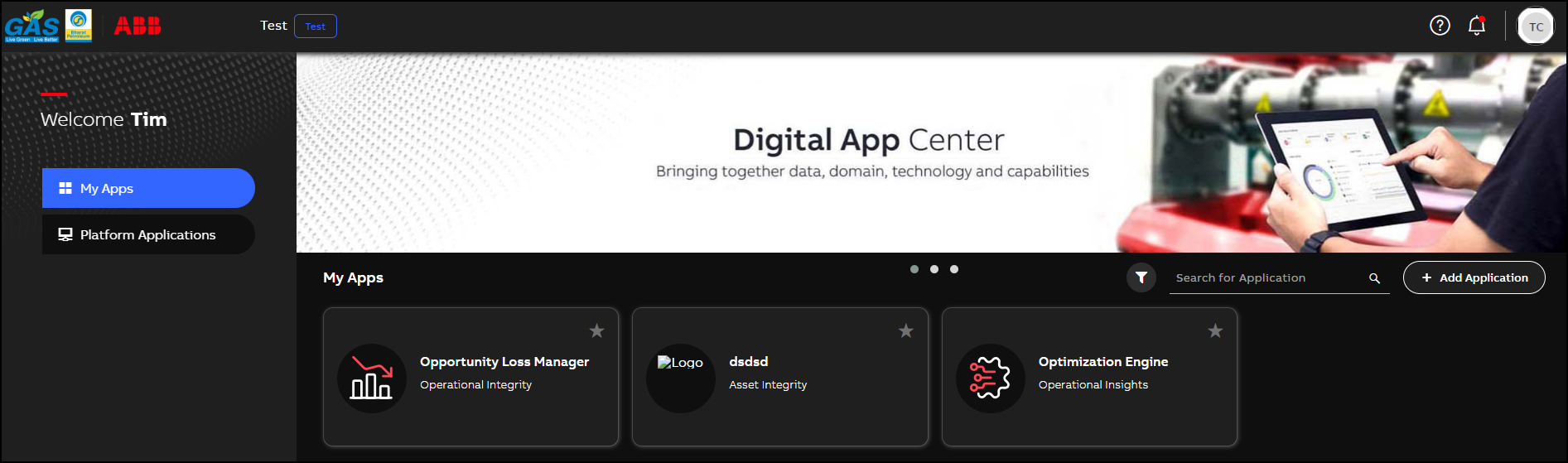
Digital Application Center - Landing Page
The following action buttons are available on the Digital Application Centre home page:
|
Elements |
Description |
|---|---|
| This icon opens the in-app help and launches the Genix Documentation Portal. | |
| This icon displays all in-app notifications, allowing users to view them in a single place. | |
| This icon activates the global navigation menu for searching across the platform. | |
|
|
The icon displays the list of capablities used by IT admin for business process automation. It helps in opening and collapsing of the side navigation within the application. |
To switch the theme between light mode and dark mode, click your profile and select theme Theme.